

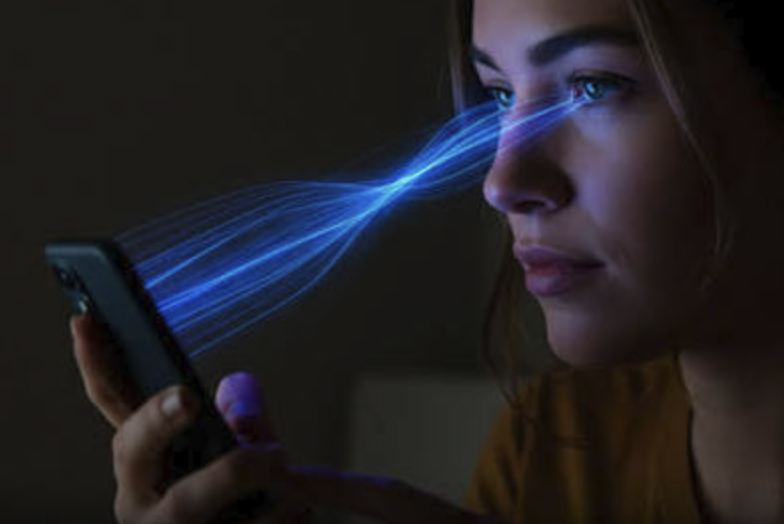
Phones, tablets, computers, and televisions have become part of everyday life. You may use a screen for school, work, entertainment, communication, or simply to relax at the end of the day.
That makes questions about blue light from screens increasingly common. Does it damage your eyes? Can it make it harder to sleep? Should you stop using your phone at night?
The answer is more nuanced than simply saying that blue light is “bad.”
Blue light is a normal part of visible light, and natural daylight contains plenty of it. However, light exposure at night can influence your body’s internal clock, while prolonged screen use can contribute to symptoms such as tired or dry eyes.
Understanding the difference between eye strain and actual eye damage is important. So is knowing which habits can make screen use more comfortable.
What Is Blue Light?
Blue light is a portion of the visible light spectrum with relatively short wavelengths and higher energy than longer-wavelength visible light.
You encounter blue light naturally during the daytime because sunlight contains it. Screens and indoor lighting can also produce blue light.
The important issue is not simply whether blue light exists. Timing and intensity matter.
Your body’s circadian system uses light as an important signal for determining whether it is daytime or nighttime. Blue wavelengths can be particularly influential in this process. When your eyes detect light, signals reach the brain’s circadian system, helping regulate the sleep-wake cycle.
That is useful during the day because light helps you stay alert. At night, however, bright light exposure can work against the natural transition toward sleep.
Does Blue Light From Screens Damage Your Eyes?
This is one of the biggest concerns surrounding screen use.
Current evidence does not establish that ordinary light from computer screens causes permanent eye damage in healthy eyes. The American Academy of Ophthalmology does not recommend special eyewear simply because someone uses a computer.
That doesn’t mean screens can never make your eyes uncomfortable.
Long periods of screen use may contribute to digital eye strain, which can involve symptoms such as:
- Tired eyes
- Dryness
- Temporary blurred vision
- Difficulty focusing
- Headaches
- General eye discomfort
These symptoms are often related to the way you use screens rather than blue light alone.
For example, when you’re concentrating on a screen, you may blink less frequently. You may also spend a long time focusing at a fixed distance without giving your eyes a break.
So, if your eyes feel tired after a long computer session, the solution isn’t necessarily to blame blue light. Your overall screen habits matter too.
Why Screens Can Make Your Eyes Feel Tired
Your eyes are constantly adjusting when you look at digital displays.
You may be dealing with several factors at once, including:
Long periods of close-up viewing
Keeping your eyes focused on something nearby for an extended period can contribute to visual fatigue.
Reduced blinking
Concentrating on a screen can reduce how often you blink, which may leave your eyes feeling dry.
Glare and reflections
Bright reflections on a display can make your eyes work harder.
Poor lighting
A very bright screen in an otherwise dark room can feel uncomfortable.
Incorrect viewing distance
Sitting too close to a screen may increase discomfort.
Screen position and viewing conditions can make a meaningful difference. Eye-care guidance recommends considering factors such as monitor distance, viewing angle, room lighting, and screen contrast when trying to reduce digital eye strain.
How Blue Light Can Affect Your Sleep
The connection between blue light and sleep is more established than the idea that normal screen light damages your eyes.
Your body has an internal circadian rhythm that helps coordinate sleep and wakefulness.
Light serves as one of the most powerful environmental cues impacting this particular system. Blue wavelengths are particularly effective at influencing the circadian system.
During the day, this is helpful.
In the evening, however, exposure to bright light can signal to your brain that it is still daytime. This can interfere with the body’s normal transition toward nighttime.
Blue light exposure before bedtime may therefore make it harder for some people to become sleepy, especially when the exposure is bright or prolonged.
The issue isn’t necessarily your phone alone. A bright television, tablet, computer, or strong indoor lighting can also contribute to nighttime light exposure.
Why Melatonin Matters
Melatonin is a hormone involved in regulating your sleep-wake cycle.
As evening arrives and natural light decreases, your body normally moves toward nighttime physiology. Light exposure at night can interfere with this process.
Blue-enriched light is particularly relevant because the circadian system is sensitive to shorter wavelengths. Research summarized by the CDC notes that exposure to blue light can signal the body’s circadian system that it is daytime and can affect nighttime melatonin-related processes.
This doesn’t mean that looking at your phone once at night will automatically ruin your sleep.
Instead, think about the bigger picture.
A bright screen, stimulating content, late-night notifications, and an irregular bedtime can all make winding down more difficult.
Does Night Mode Actually Help?
Most modern phones and computers offer features such as Night Shift, Night Light, or other display settings that make the screen warmer at night.
These settings can reduce the amount of short-wavelength light produced by the display.
They can be useful, especially if you find a warmer display more comfortable in the evening. However, they shouldn’t be treated as a complete solution for sleep problems.
A dimmer screen is still a screen.
If you’re watching exciting videos, scrolling through social media, playing games, or answering messages immediately before trying to sleep, the activity itself may keep your mind engaged.
So, night mode can be one part of a healthier nighttime routine, but it isn’t a guarantee of better sleep.
Simple Ways to Reduce Screen-Related Eye Strain
You don’t have to eliminate screens from your life to make them more comfortable.
Try these practical habits.
Take Regular Breaks
Give your eyes opportunities to look away from the screen during long sessions.
A simple approach is to periodically focus on something farther away rather than staring continuously at your display.
Adjust Your Screen Brightness
Your display shouldn’t feel dramatically brighter than the surrounding environment.
Adjust brightness according to the lighting in your room.
Reduce Glare
Position your monitor or laptop so that windows and lights aren’t creating distracting reflections.
Keep a Comfortable Viewing Distance
Avoid holding a phone extremely close to your face for extended periods.
For computers, position the monitor at a comfortable distance and angle.
Remember to Blink
If your eyes feel dry during long screen sessions, consciously blinking more often may help maintain the tear film over the eyes.
Improve Room Lighting
A completely dark room with a very bright screen can be uncomfortable.
Use comfortable ambient lighting rather than relying entirely on the display for illumination.
How to Protect Your Sleep From Late-Night Screens
If screens seem to interfere with your sleep, start with your evening routine rather than trying to eliminate every source of blue light.
Consider reducing bright screen exposure as bedtime approaches.
The CDC’s guidance on blue light and sleep recommends limiting bright light exposure in the evening and avoiding smartphones and other electronics before bedtime when possible.
You can also:
- Dim your screens in the evening
- Turn on your device’s nighttime display setting
- Keep your phone away from your bed if notifications tempt you to check it
- Use softer room lighting before bedtime
- Maintain a consistent sleep schedule
- Choose relaxing activities before bed
If you regularly have difficulty sleeping despite improving your habits, it may be worth discussing the problem with a parent, guardian, doctor, or other healthcare professional.
Are Blue-Light-Blocking Glasses Necessary?
Blue-light-blocking glasses have become popular, but they aren’t a universal solution for screen-related problems.
The American Academy of Ophthalmology notes that there isn’t scientific evidence showing that ordinary computer-screen light damages the eyes, and it does not recommend special eyewear specifically for computer use.
Some people may find certain lenses comfortable, but that doesn’t mean everyone needs them.
Before spending money on special glasses, focus on basics such as screen brightness, glare, viewing distance, breaks, blinking, and nighttime screen habits.
If you have persistent vision problems or eye discomfort, an eye-care professional can help determine what’s actually causing them.
Blue Light Isn’t the Only Problem With Screen Use
It’s easy to make blue light the villain whenever screens are discussed, but the situation is more complicated.
Your overall digital habits matter.
For example, using a screen for several hours without breaks can leave your eyes tired regardless of the exact light spectrum.
Similarly, using a phone late at night may affect sleep because of both the light exposure and the activity you’re doing on the device.
A late-night conversation, exciting game, stressful message, or endless scrolling session can keep your brain engaged when you’re trying to wind down.
That’s why reducing nighttime screen intensity is only one part of good sleep hygiene.
Final Thoughts
Blue light from screens isn’t something you necessarily need to fear.
The bigger issue is how, when, and for how long you use your devices.
Current evidence does not show that ordinary computer-screen light causes permanent eye damage, but extended screen use can contribute to digital eye strain. Evening exposure to bright light, particularly blue-enriched light, can also influence your body’s circadian system and potentially make sleep more difficult.
The good news is that small changes can make screen use more comfortable.
Take breaks, manage glare and brightness, maintain a comfortable viewing setup, and give your brain some time away from bright screens before bed. These simple habits can help you use technology while still giving your eyes and sleep the attention they need.
Frequently Asked Questions
1. Is blue light from screens harmful to your eyes?
Normal screen exposure has not been shown to cause permanent eye damage in healthy eyes. However, prolonged screen use can contribute to digital eye strain, dryness, and temporary discomfort.
2. Can blue light from my phone affect my sleep?
Yes. Bright light exposure in the evening can influence your circadian system and interfere with the body’s transition toward sleep. Blue wavelengths are particularly influential in this process.
3. Should I use Night Mode on my phone?
Night Mode can reduce short-wavelength light and make a display warmer in the evening. It may be useful as part of a nighttime routine, but it doesn’t remove every reason screens can interfere with sleep.
4. Are blue-light glasses necessary for computer use?
Not necessarily. The American Academy of Ophthalmology does not recommend special eyewear simply for computer use because there isn’t evidence that ordinary computer-screen light damages the eyes.
5. How can I reduce eye strain from screens?
Take regular viewing breaks, reduce glare, keep your screen at a comfortable distance, adjust brightness, improve room lighting, and remember to blink regularly.
6. Should I stop using screens before bed?
If screens make it harder for you to fall asleep, reducing bright screen exposure before bedtime may help. A relaxing, consistent bedtime routine and lower evening light exposure can support healthier sleep habits.