

Have you ever wondered how different apps and websites talk to each other and share information? Think about when you use a weather app on your phone or log in to a shopping site with your Google or Facebook account. Behind the scenes, there’s a simple but powerful idea making all of this possible.
You’ve probably seen the word API floating around in tech articles, job listings, and developer conversations. It sounds technical, and in implementation it can be, but the concept behind it is something most people already understand intuitively. They just don’t realize it yet.
This article explains what an API is, how it works, why it matters, and what it looks like in the apps and services you use every single day. No coding background required.
The Analogy That Makes Everything Click
Before getting into definitions, here’s the analogy that genuinely clarifies this concept better than most technical explanations.
Imagine you’re sitting at a restaurant. You don’t walk into the kitchen, grab ingredients, and cook your own food. There’s a system in place. You tell the waiter what you want, the waiter takes that request to the kitchen, the kitchen prepares it, and the waiter brings the result back to your table.
An API works exactly like that waiter.
You’re the customer, representing an app or user making a request. The kitchen is the server or system that holds the data and functionality. The waiter, the API, carries the request from one side to the other and brings the response back. You don’t need to understand how the kitchen operates to enjoy a delicious meal. You just interact with the waiter using a defined menu of options.
That’s the core of what an API does.
What API Actually Stands For
API stands for Application Programming Interface. Breaking that down:
- Application – any software program, from a weather app to a banking system
- Programming – a tool designed for software to use
- Interface – a defined point of contact between two systems with agreed-upon communication rules
Put together: an API is a defined way for one piece of software to talk to another. It specifies what requests can be made, what format those requests must follow, and what the response will look like. Think of it as a contract between two systems, one says “if you ask me for information in this specific way, I’ll respond with data in this format.”
Real-Life Examples You Already Use Every Day
APIs are everywhere. You interact with them constantly without realizing it.
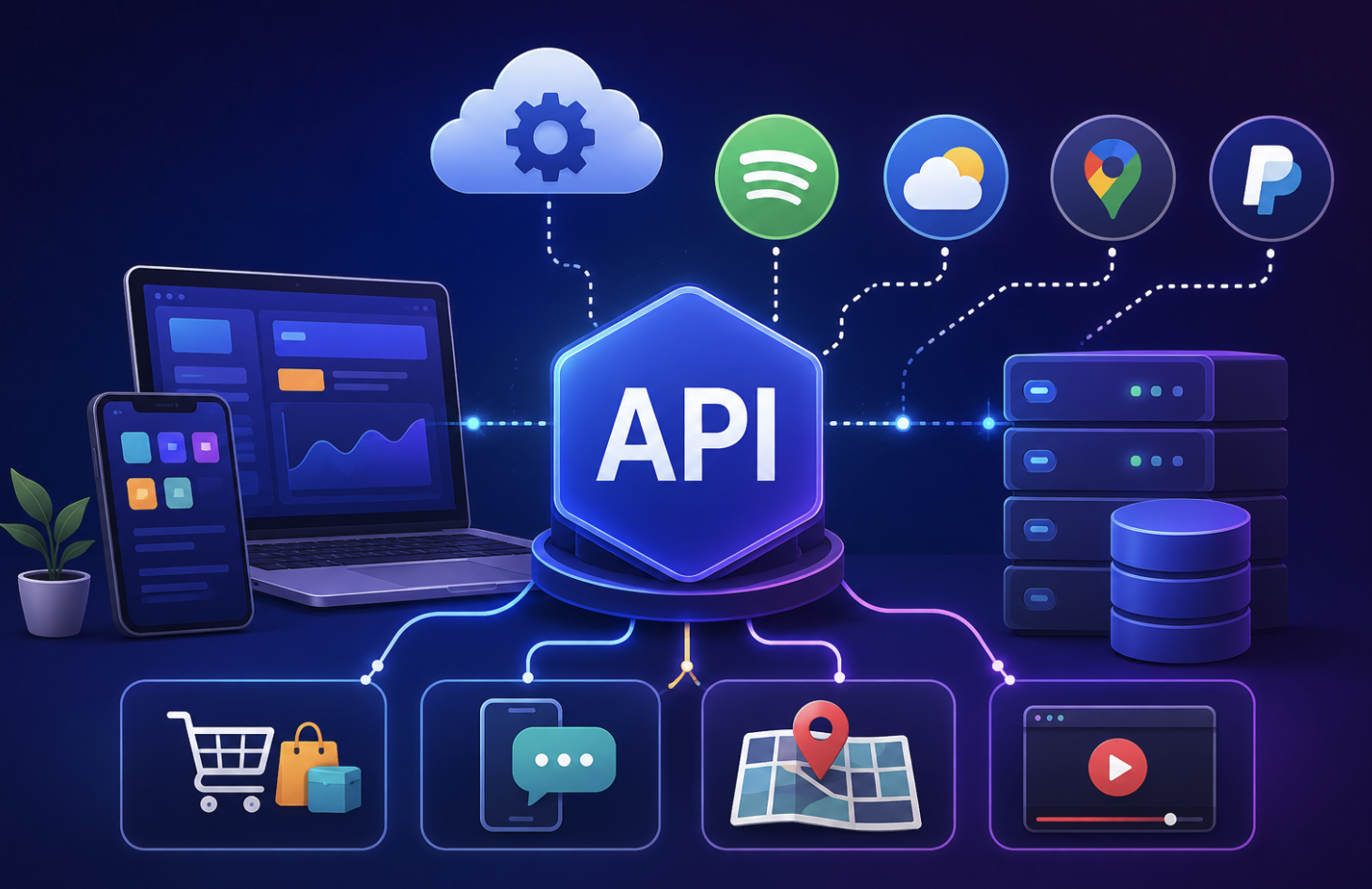
Weather apps When you open a weather app, the app doesn’t have its own satellites or sensors. It sends a request to a weather data provider asking for current conditions at your location. The API receives that request, pulls the relevant data, and sends it back to your app for display. Two completely separate systems, connected through an API.
“Sign in with Google” buttons When you click “Sign in with Google” on a website, that site uses Google’s authentication API to verify your identity. Google’s API handles the login process, confirms who you are, and sends a confirmation back, all without the website ever seeing your Google password.
Online payments When you buy something online, the retailer’s website almost never processes the payment itself. It passes your payment information to a gateway – Stripe, PayPal, or a bank’s API, which processes the transaction and sends back a success or failure response.
Ride-sharing apps When you book a ride on Uber, the app is talking to multiple APIs simultaneously, a mapping API calculates your route, a payment API processes your fare, and a messaging API handles driver-rider communication. None of those systems are built by Uber from scratch; they’re connected through existing APIs.
Hotel booking sites Platforms like Booking.com send API requests to multiple hotel systems simultaneously when you search, collect all the responses, and display results in seconds, all without storing that availability data themselves.
How an API Request Actually Works
When one system calls an API, it typically sends:
- The endpoint – the specific URL of the function being called
- The method – the action requested (GET to retrieve data, POST to send it, PUT to update, DELETE to remove)
- Parameters – details the API needs, like a location for weather data or a product ID for a lookup
- Authentication – most APIs require a key or token verifying the requesting app is authorized
The API processes the request and returns a response, usually in JSON or XML, structured data formats that software can easily read.
Why APIs Matter So Much
APIs are what make modern software possible at the scale we’re used to. Here’s why they’re fundamental:
- They allow specialization. A startup building a food delivery app doesn’t need to build its own mapping system or payment processor from scratch, it uses APIs from companies that have already built those things perfectly.
- They enable integration. Completely separate systems, built by different companies in different languages on different servers, can communicate seamlessly through a defined API.
- They make apps faster to build. Using existing APIs for common functions means developers can focus on what’s unique about their product rather than rebuilding infrastructure that already exists.
- They create ecosystems. When a platform opens its API to outside developers, entire product marketplaces emerge on top of it. Shopify’s API powers thousands of third-party apps. Twitter’s API gave rise to hundreds of external tools and analytics platforms.
Public, Private, and Partner APIs
Not all APIs are open to everyone:
Public APIs are open to any developer, sometimes free, sometimes requiring an API key signup. Google Maps and OpenWeatherMap are well-known examples.
Private APIs are used internally. When Amazon’s app shows your order history, it’s using Amazon’s own API that outside developers can’t access.
Partner APIs sit in the middle, shared with specific business partners under agreements but not released publicly.
Final Thoughts
An API is like a translator that helps different software programs talk to each other and work together smoothly. It defines the rules, what you can ask, how to ask it, and what you get back. Every time a weather app shows a forecast, a payment clears online, or a map loads inside a third-party app, an API made it happen. Invisible by design, but once you know what to look for, you see them everywhere.
- For a deeper dive into this topic, visit:
“Mastering API-First Development: 15 Powerful Strategies for Success”
Frequently Asked Questions
1. Do I have to know how to program to use an API?
For apps and services that use APIs internally, no, they work invisibly. To directly build on top of an API, basic coding knowledge helps, but many no-code tools now let non-developers connect APIs without writing code.
2. Is an API the same as a website?
No. A website is designed for humans to read through a browser. An API is designed for software to interact with programmatically, it returns structured data, not a visual webpage.
3. Are APIs free to use?
Many offer free tiers up to a certain usage limit. Beyond that, most charge based on the number of API calls made. Some are entirely free, others require paid subscriptions from the start.
4. What is an API key?
An API key is a unique identifier that tells the API which application is making a request. It’s how providers track usage, enforce rate limits, and restrict access to authorized users only, essentially a password for software.
5. What happens if an API goes down?
Any service depending on that API stops working for those specific functions. If Google Maps’ API has an outage, apps relying on it stop displaying maps. This is why building fallback options matters for critical production systems.