

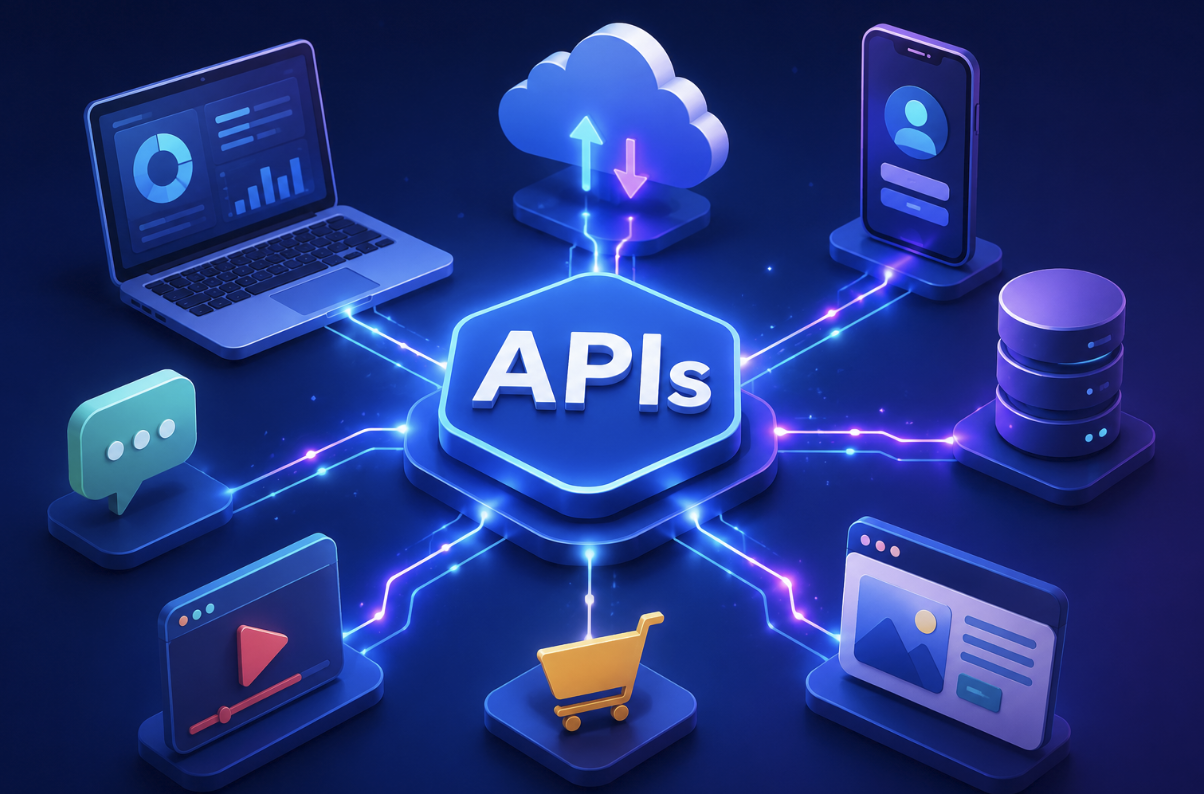
Have you ever used an app to sign in with your Google account, checked the weather inside another application, or paid for something online without leaving a website?
Behind many of these experiences are APIs.
An API, which stands for Application Programming Interface, is a set of rules that enables various software applications to interact and share data with each other. Instead of every application building every feature from scratch, developers can use APIs to connect their software with other services.
The technical details can become complicated, but the basic concept is surprisingly simple.
Think of an API as a structured way for one piece of software to ask another piece of software for information or request an action. The receiving system processes the request and sends back a response.
This article explains understanding APIs in simple terms, including how they work, the most common types, real-world examples, security considerations, and why APIs are so important to modern software.
What Is an API?
API stands for Application Programming Interface.
An API is a defined set of rules and methods that allows one software application or system to interact with another.
Imagine that you are using a travel application. The application itself may not own information about every flight, hotel, or airport. Instead, it can communicate with external services through APIs.
The travel application sends a request asking for specific information. The external service processes the request and returns data that the application can display.
The API provides the agreed-upon structure for this communication.
Importantly, an API does not necessarily reveal how the underlying software works. Developers can interact with the available interface without needing access to the internal implementation.
How Do APIs Work?
At a basic level, API communication involves a request and a response.
The process usually looks something like this:
- An application sends a request.
- The API receives the request.
- The server processes it.
- The server returns a response.
- The application uses the returned information.
For example, a weather application might request current weather information for a particular location.
The request could contain details such as the location and the type of information required.
The server processes the request and returns information such as temperature, weather conditions, and other available data.
The application then turns that response into something useful for the person using it.
This interaction can happen extremely quickly.
A Simple Real-World Example of an API
A restaurant analogy can make APIs easier to understand.
Imagine sitting in a restaurant.
You look at the menu and decide what you want. You give your order to the waiter. The waiter communicates the order to the kitchen. The kitchen prepares the food, and the waiter brings it back to you.
In this example:
- You are the client application.
- The waiter represents the API.
- The kitchen represents the server or underlying system.
- Your order is the API request.
- The food is the response.
You do not need to know how the kitchen operates. You simply use the available interface to request something.
APIs work in a similar way. They provide a controlled method for software systems to communicate without exposing all of their internal operations.
What Is an API Request?
An API request is a message sent by a client to a server through an API.
Depending on the API, a request can ask for information, create new information, update existing information, or delete something.
Web APIs commonly use HTTP methods to describe what the client wants to do.
GET
A GET request is generally used to retrieve information.
For example, an application could use GET to request a list of products.
POST
POST is commonly used to submit data or create a new resource.
For example, an application might use POST to create a new customer record.
PUT and PATCH
PUT and PATCH are commonly associated with updating existing resources.
The exact behavior can vary depending on the API’s design.
DELETE
DELETE is generally used to remove a resource.
These methods provide a standardized way for applications to communicate their intended operation.
What Is an API Response?
When a request is made to a server, it processes the request and then delivers a response back to the requester.
The response typically includes a status code and, when appropriate, data.
For example, an API might return a successful response along with information requested by the application.
Common HTTP status codes include:
- 200: Request succeeded
- 201: Resource created
- 400: Bad request
- 401: Authentication required or failed
- 403: Access forbidden
- 404: Resource not found
- 500: Server-side error
API responses often use structured formats such as JSON, which stands for JavaScript Object Notation.
JSON is popular because it is relatively easy for both humans and software to read.
A simplified response might contain information about a product, including its name, price, and availability.
The application reads that structured data and uses it to create the interface the user sees.
What Are the Main Types of APIs?
APIs can be categorized in different ways.
REST APIs
REST, or Representational State Transfer, is a widely used architectural style for web APIs.
RESTful APIs typically operate using standard HTTP methods like GET, POST, PUT, PATCH, and DELETE to perform different actions. They often exchange information using JSON.
REST APIs are popular because they work well with web applications and can be relatively straightforward to develop and consume.
GraphQL APIs
GraphQL provides a different approach.
Instead of relying on multiple fixed endpoints that return predefined data structures, GraphQL allows clients to specify the data they need.
This can be useful for applications that need information from multiple related resources.
SOAP APIs
SOAP, or Simple Object Access Protocol, is an older web-service protocol that uses XML-based messaging.
SOAP has been widely used in enterprise environments where strict standards and structured messaging are important.
Webhooks
Webhooks work somewhat differently from traditional request-based APIs.
Instead of an application repeatedly asking whether something has changed, a service can send an automated notification to another system when a particular event occurs.
For example, an online service might notify another application when a payment status changes.
Why Are APIs Important?
APIs are essential to modern software because they allow developers to connect different systems.
Without APIs, companies would often need to build many features internally or create custom integrations from scratch.
APIs provide reusable connections.
For example, an application might connect to services that provide:
- Payment processing
- Maps and location information
- Weather data
- Email delivery
- Authentication
- Shipping information
- Social media features
- Cloud storage
- Artificial intelligence services
This allows developers to focus on creating their own application’s unique features instead of rebuilding every supporting service.
APIs in Everyday Technology
You probably interact with APIs more often than you realize.
Online Payments
When an online store processes a payment, its software may communicate with a payment provider through an API.
Maps
A website can use a mapping service’s API to display locations, routes, or geographic information.
Social Login
When a website allows you to sign in through an external account, APIs can facilitate communication between the website and the identity provider.
Weather Applications
Weather apps can request current conditions and forecasts from weather-data providers through APIs.
E-Commerce
Online stores can connect inventory systems, payment providers, shipping services, analytics platforms, and customer-management systems using APIs.
Modern software ecosystems rely heavily on these connections.
What Is API Authentication?
Not every API is publicly accessible.
Many APIs require authentication to verify who is making a request.
Common approaches include API keys, access tokens, and other authentication mechanisms.
Authentication helps a service determine whether a client has permission to use a particular API.
Authorization is related but slightly different. Authentication asks, “Who are you?” Authorization determines what actions or data a user or application has permission to access, essentially asking, “What are you permitted to do?”
For example, a user might be authenticated successfully but still lack permission to access certain information.
Developers need to handle credentials carefully. API keys and tokens should not be exposed unnecessarily in public code or client-side applications when they provide sensitive privileges.
API Security and Common Risks
APIs can create useful connections, but they can also introduce security risks if they are poorly designed or configured.
One common problem is improper authentication or authorization. If an API does not correctly verify permissions, unauthorized users could potentially access information they should not see.
Other concerns include:
- Excessive data exposure
- Weak authentication
- Poor input validation
- Missing rate limits
- Insecure endpoints
- Improper error handling
- Stolen API credentials
Developers should follow appropriate security practices, keep software updated, limit access, validate incoming data, and monitor API activity.
Security requirements vary depending on what an API does and what information it handles.
What Is API Integration?
Integrating APIs involves linking multiple software platforms so they can work together seamlessly by exchanging data and functions.
Suppose a business uses one system for customer management and another for sending email campaigns.
An API integration can allow customer information to move between the systems automatically, reducing the need for employees to enter the same information manually.
A business might integrate:
Website -> Customer database -> Email platform -> Analytics system
Each connection can help different systems communicate and automate parts of a workflow.
This is one reason APIs are so important to businesses. They can connect specialized tools into a larger technology ecosystem.
What Is an API Endpoint?
An API endpoint is a specific location through which a client can access a particular API resource or operation.
For a web API, an endpoint is often represented by a URL.
For example, an API might provide separate endpoints for customers, products, and orders.
Each endpoint can have its own rules regarding the type of request it accepts, the parameters it requires, and the response it returns.
Developers typically rely on API documentation to understand these rules.
Good documentation explains available endpoints, authentication requirements, request formats, response structures, errors, limits, and examples.
APIs and Artificial Intelligence
APIs are also playing an important role in the growth of artificial intelligence.
Developers can connect applications to AI services through APIs rather than building large AI models themselves.
For example, an application could send text to an AI API and receive a generated response. Another application could send an image for analysis or request an AI-generated transformation.
This allows AI capabilities to become features inside existing products.
As AI services continue to evolve, APIs can provide a practical bridge between AI models and everyday software applications.
Common API Challenges
Although APIs make software development easier in many ways, they are not completely effortless.
Documentation Problems
Poor documentation can make an API difficult to understand and integrate.
Version Changes
APIs can change over time. Developers need to understand how updates affect existing applications.
Rate Limits
Many APIs restrict how many requests a client can make during a particular period.
Downtime
If an application depends on an external API, problems with that service can affect the application’s functionality.
Data Compatibility
Different systems may represent information differently, requiring developers to transform data before using it.
These challenges make API planning and monitoring an important part of software development.
The Future of APIs
APIs will remain an important part of modern technology because software increasingly depends on connected services.
Cloud platforms, mobile applications, AI tools, business software, financial systems, and online marketplaces all rely on software-to-software communication.
As applications become more interconnected, developers will continue focusing on API security, reliability, performance, documentation, and interoperability.
New approaches may also change how APIs are designed and consumed, but the underlying need remains the same: software needs dependable ways to communicate.
Conclusion
APIs are one of the hidden foundations of modern software. Whenever different applications exchange information or one service uses a feature provided by another system, an API may be working behind the scenes.
The basic process is simple: one application sends a request, another system processes it, and a response is returned. Behind that simple interaction are standards, authentication methods, data formats, security controls, and technical rules that make reliable communication possible.
From online payments and maps to cloud services and artificial intelligence, APIs allow developers to connect technologies without rebuilding everything from scratch.
Once you understand the basic idea of an API, many everyday digital experiences become easier to understand. APIs are essentially the communication layer that helps modern software work together.
- You May Want to Know: Best Practices of Implementing HTTPS on Websites
Frequently Asked Questions
1. What does API stand for?
API stands for Application Programming Interface. It is a defined interface that allows different software systems to communicate and exchange information.
2. How does an API work?
An application sends a request through an API. The server processes the request and sends back a response containing information or the result of an operation.
3. What is an API used for?
APIs are used to connect software systems and provide access to features or data. Common examples include payment processing, maps, authentication, weather information, cloud services, and AI tools.
4. What is a REST API?
A REST API is a web API designed around principles associated with Representational State Transfer. REST APIs commonly use HTTP methods and frequently exchange data in JSON format.
5. Are APIs secure?
APIs can be secure when they are properly designed, authenticated, authorized, monitored, and maintained. Poorly secured APIs can create vulnerabilities, so security should be considered throughout development.
6. What is API integration?
API integration connects two or more software systems so they can exchange information or trigger actions automatically. Businesses commonly use integrations to connect websites, payment systems, customer databases, analytics tools, and other applications.