

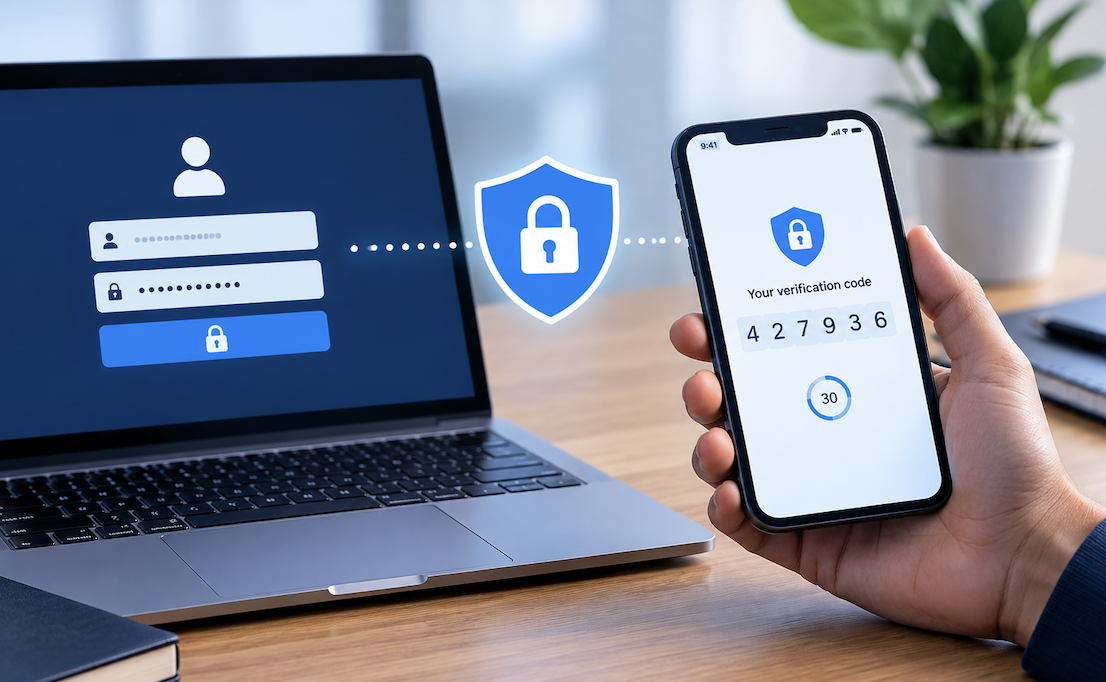
A stolen password used to be enough for an attacker to walk straight into someone’s email, banking app, or social media account. Two-factor authentication changed that equation by adding a second, independent barrier that a stolen password alone can’t get past. What was once a niche security feature reserved for tech-savvy users has become a standard recommendation from banks, employers, and security professionals alike.
Understanding how this extra layer actually works, and why relying on a password by itself has become increasingly risky, helps explain why so many services now push users toward enabling it, sometimes even requiring it outright.
What Two-Factor Authentication Actually Adds
Two-factor authentication, often shortened to 2FA, requires a second piece of evidence beyond a password before granting access to an account. This second factor typically falls into one of three categories: something known, like a password; something possessed, like a phone or security key; or something inherent, like a fingerprint.
By requiring two of these categories together rather than just one, 2FA ensures that a compromised password alone isn’t enough for an attacker to break in. Even if someone’s password leaks in a data breach, that same attacker would also need physical access to a trusted device or biometric feature to complete a login, a much higher bar to clear.
The Three Categories Behind Authentication Factors
- Something you know: passwords, PINs, or security question answers
- Something you have: a phone, hardware key, or authenticator app
- Something you are: fingerprints, facial recognition, or other biometric traits
- True two-factor authentication combines factors from two different categories
Why Passwords Alone Stopped Being Sufficient
Passwords carry inherent weaknesses that have only grown more pronounced as data breaches have become routine news. Many people reuse the same password across multiple sites, meaning a breach at one company can expose access to entirely unrelated accounts using identical credentials elsewhere.
Phishing has also grown more sophisticated, with fraudulent emails and websites designed to trick even careful users into typing their password directly into an attacker’s trap. Once a password is captured this way, an account with no additional protection is immediately vulnerable, regardless of how complex or unique that password originally was.
- Password reuse across accounts multiplies the damage from a single breach
- Phishing attacks continue growing more convincing and harder to spot
- Weak or predictable passwords remain surprisingly common despite awareness efforts
- Large-scale data breaches regularly expose millions of stored credentials at once
Common Forms Two-Factor Authentication Takes Today
SMS-based codes, sent as a text message during login, were among the earliest widely adopted forms of two-factor authentication, offering a simple way to verify identity through a phone number already tied to an account. While convenient, this method carries known weaknesses, since attackers can sometimes intercept text messages through a technique called SIM swapping.
Authenticator apps generate time-based codes directly on a device without relying on cellular networks at all, closing that particular vulnerability. Hardware security keys, small physical devices that plug into a computer or connect wirelessly, offer an even stronger layer of protection, since they require actual physical possession rather than just knowledge of a code.
- SMS codes: convenient but vulnerable to SIM swapping attacks
- Authenticator apps: generate codes locally without depending on a phone network
- Push notifications: approve or deny login attempts directly from a trusted device
- Hardware keys: physical devices offering the strongest available protection
How This Protection Plays Out During a Real Attack
Picture an attacker who has purchased a batch of stolen email addresses and passwords from a breach on the dark web. Without two-factor authentication enabled, they simply log in directly using those stolen credentials, gaining full access to whatever account they targeted within seconds.
With two-factor authentication in place, that same stolen password becomes useless on its own. The attacker’s login attempt triggers a request for a second factor, a code from an app or a prompt on a phone they don’t possess, and the attempt fails outright.
This single extra step has repeatedly proven effective at blocking the overwhelming majority of automated account takeover attempts that rely purely on stolen or guessed passwords.
A Closer Look at How a Stolen Password Nearly Caused Real Damage
Consider someone who used the same password for a shopping site and their primary email account, a common habit despite widespread warnings against it. When that shopping site suffered a data breach, the leaked password ended up circulating on criminal forums within weeks, paired with the associated email address.
An attacker attempted to log into the person’s email using those exact leaked credentials. Because two-factor authentication was enabled on the email account, the login attempt triggered a request for a code from an authenticator app the attacker didn’t possess, and the attempt failed immediately.
The person only learned about the attempted breach through a routine security notification, never realizing how close their email, and everything tied to it, had come to being compromised by a single reused password.
Balancing Security Against Everyday Convenience
Some people hesitate to enable two-factor authentication out of concern it will slow down logging into frequently used accounts. In practice, most modern implementations minimize this friction considerably, remembering trusted devices for extended periods so the extra step only appears occasionally rather than during every single login attempt.
Backup options, such as printed recovery codes stored somewhere safe, also address the common worry about getting locked out if a phone is lost or damaged. Setting these up in advance, rather than scrambling to recover access during an actual emergency, takes only a few minutes and provides genuine peace of mind against a scenario that, while rare, can otherwise become a genuinely stressful ordeal.
- Trusted device settings reduce how often the second factor gets requested
- Backup recovery codes provide a safety net if a primary device is unavailable
- Setup typically takes only a few minutes per account
- Most major platforms now walk users through enabling it step by step
Which Accounts Deserve This Protection First
Not every account carries equal risk if compromised, which makes prioritizing where to enable two-factor authentication a sensible starting point rather than attempting to secure every single online account simultaneously. Email accounts deserve particular urgency, since they often serve as the recovery method for many other accounts, meaning a compromised email can cascade into a much broader breach.
Banking, financial platforms, and any account tied to payment information should follow closely behind, given the direct financial stakes involved. Social media accounts, while sometimes viewed as lower priority, can also cause real reputational or personal harm if hijacked, making them worth securing sooner rather than later on anyone’s list.
- Email accounts, since they often control password resets for other services
- Banking and financial platforms with direct access to money
- Social media accounts vulnerable to impersonation or reputational harm
- Any account storing payment information or sensitive personal data
How Organizations Roll Out Authentication Requirements at Scale
Individual users choosing to enable two-factor authentication is one thing, but organizations mandating it across an entire workforce face different, additional considerations. Rolling out a requirement too abruptly, without adequate training or support, often leads to frustrated employees locked out of essential systems during a critical workday, undermining trust in the new security measure before it has a chance to prove its value.
Successful rollouts typically involve a grace period with clear instructions, dedicated support for employees encountering setup issues, and communication explaining specifically why the change matters rather than presenting it as an arbitrary new hurdle. Organizations that invest this extra effort during rollout generally see far higher genuine adoption rates than those that simply mandate the change and expect employees to figure out the rest independently.
- Provide clear, step-by-step setup instructions during any organization-wide rollout
- Offer dedicated support for employees encountering technical difficulties
- Communicate the genuine security reasoning behind the requirement clearly
- Allow a reasonable grace period rather than an abrupt, unexplained mandate
Moving Toward Even Stronger Authentication Methods
Security researchers continue pushing beyond traditional two-factor methods toward approaches like passkeys, which eliminate passwords from the equation entirely by relying on device-based cryptographic verification instead. These emerging methods aim to close remaining gaps, such as vulnerability to particularly convincing phishing attempts that can sometimes trick users into approving a fraudulent push notification.
For now, though, enabling any form of two-factor authentication remains one of the single most effective steps an individual can take to protect their online accounts, offering protection against the overwhelming majority of common account takeover attempts that rely on nothing more than a stolen or guessed password.
Conclusion
Two-factor authentication has moved from a niche recommendation to a baseline expectation across nearly every major online platform, and for good reason. The extra few seconds it occasionally adds to a login process pale in comparison to the protection it offers against the kind of account compromise that a password alone simply can’t withstand anymore.
You May Want to Know: Best Free Password Managers to Keep Your Accounts Safe
Frequently Asked Questions
1. Is SMS-based two-factor authentication still worth using despite its weaknesses?
Yes, it remains far better than no second factor at all, though an authenticator app or hardware key offers stronger protection where available.
2. What happens if I lose the device used for two-factor authentication?
Most services offer backup recovery codes or alternative verification methods, which is why setting these up in advance is strongly recommended before an emergency occurs.
3. Does two-factor authentication protect against every type of cyberattack?
No single measure offers complete protection, but it significantly reduces the risk from stolen or guessed passwords, which remains one of the most common attack methods used today.
4. Can two-factor authentication be bypassed by a determined attacker?
Sophisticated attacks exist, such as convincing someone to approve a fraudulent push notification, though these remain far less common than simple password-based attacks that 2FA effectively blocks.
5. Should businesses require two-factor authentication for employee accounts?
Many security experts strongly recommend this, since employee accounts often provide a gateway into broader company systems and sensitive data if left protected by only a password.
6. Does enabling two-factor authentication protect old accounts I rarely use?
Yes, and it’s particularly worthwhile for dormant accounts, since these often go unmonitored for suspicious activity, making them attractive, low-risk targets for attackers testing leaked credentials.
7. Can I use the same authenticator app for multiple different accounts?
Yes, most authenticator apps support storing codes for many separate accounts simultaneously, making it practical to secure numerous services without needing a different app for each one.
8. Does enabling two-factor authentication require purchasing anything extra?
Usually not. Most authenticator apps are free, and existing smartphones typically have the biometric hardware needed, meaning added cost rarely presents a genuine barrier to adoption.